Tumble Dash: Arcade Runner

Reviews
Tumble Dash suits players who want a relaxed side-scrolling runner without a timer or harsh penalties. The flip mechanic adds a small layer of decision-making to each jump, and hidden items reward curiosity. The cartoon look and cheerful audio keep the mood light. The main limitation is that skins are cosmetic only, so progression is mostly about collecting coins rather than changing how the game plays.
Description
Timing Jumps and Flips
Each course in Tumble Dash scrolls sideways while you control a character who runs, jumps, and flips toward a designated target. The target might be a cozy bed or a piece of silverware. Landing safely is the goal; falling or landing awkwardly ends the run, but the level restarts without penalty. The core decision is when to flip forward or backward to clear spikes, pits, and moving barriers. That timing, not speed, determines whether you reach the target.
Obstacles, Gaps, and Hidden Treasure
Courses mix open paths with tricky gaps. Some items are tucked into corners or behind breakable blocks, so careful exploration pays off. The obstacle variety keeps levels from feeling repetitive, and because there is no time limit, you can move at your own pace. [IMG_1] Coins and gems collected during runs carry over to the shop.
Bright, Playful Presentation
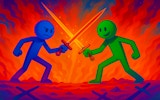
The art style is cartoon-like, with vivid colors and simple shapes. Backgrounds shift as you progress, moving from sunny meadows to cozy indoor rooms. Characters have exaggerated proportions, which makes flips and tumbles look playful rather than dangerous. Cheerful music and sound effects support the lighthearted tone.
Skins and Gentle Progression
Coins earned during runs can be spent in a shop to unlock new character skins. Each skin changes appearance only; none affect gameplay. The difficulty curve is gentle, with early levels teaching basic controls and later stages introducing more complex sequences. [IMG_2]
Controls on Desktop and Touch Devices
Tumble Dash supports both mouse and touch input. On desktop, clicking and dragging controls the character's flip direction. On mobile or tablet, swiping and tapping do the same. The interface is minimal, with no cluttered menus or complex settings, which suits quick sessions during a commute or break.



Editorial Notes